emporia keyboard
Wanting to write an SMS or an email? Like computers, smartphones require a keyboard for you to perform such tasks. Whenever text input is necessary and you tap on the text input field, the software keyboard will automatically appear on the bottom half of the screen. The keyboard has a similar layout to that of a computer keyboard by default. Keyboards of this kind are known as QWERTY keyboards because of the first six letters in their first row.
Standard symbols
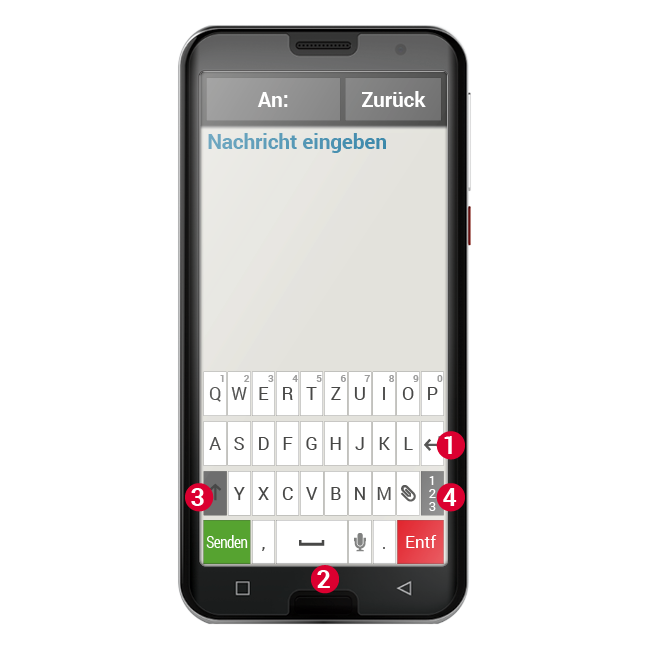
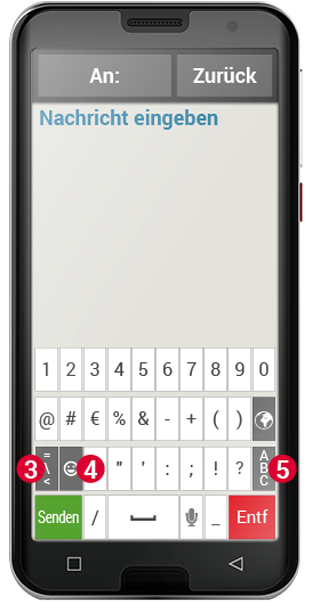
The return button (1) and space bar (2) are used particularly frequently. Tap the upward-pointing arrow (3) to switch to upper case, and the "123" button (4) to open the keyboard for numbers, symbols and emoticons (smileys).
Every QWERTY keyboard consists of four rows that display letters and various symbols. The exact content of the keyboard can vary depending on what you're using it for, because the symbols are adapted to your current task.
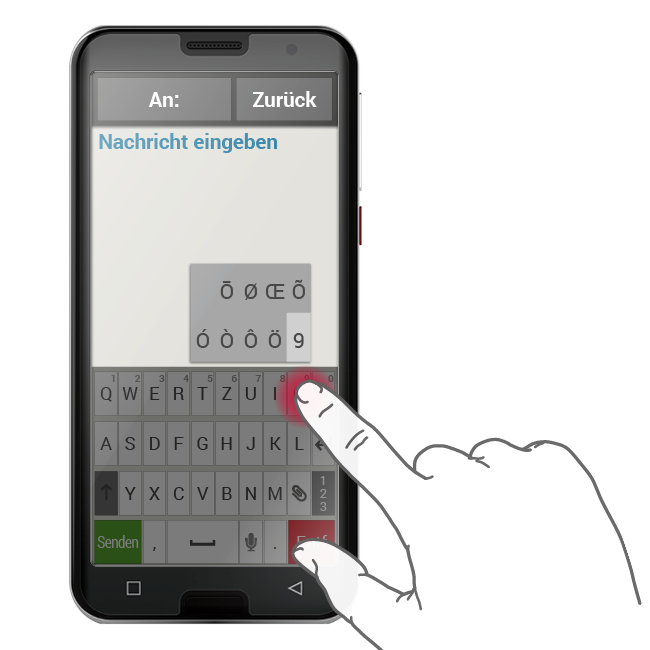
In the first row, each button has two functions: If you tap on a button briefly, the letter will be entered in the input field, and if you tap and hold the button, (i.e. don't lift your finger off straight away), the number on the button will appear.