Basics: How can I tell if the smartphone is ready for use?

The icons on the home screen will help you. The home screen is the starting point for your smartphone and always appears when you switch on your mobile phone and when no smartphone function is being used. Use the home button(4) to call up the home screen and return to the starting point at any time.

You will see three icons at the top of the display:

(1) Battery indicator
(2) Quick settings
(3) Signal strength

Signal strength

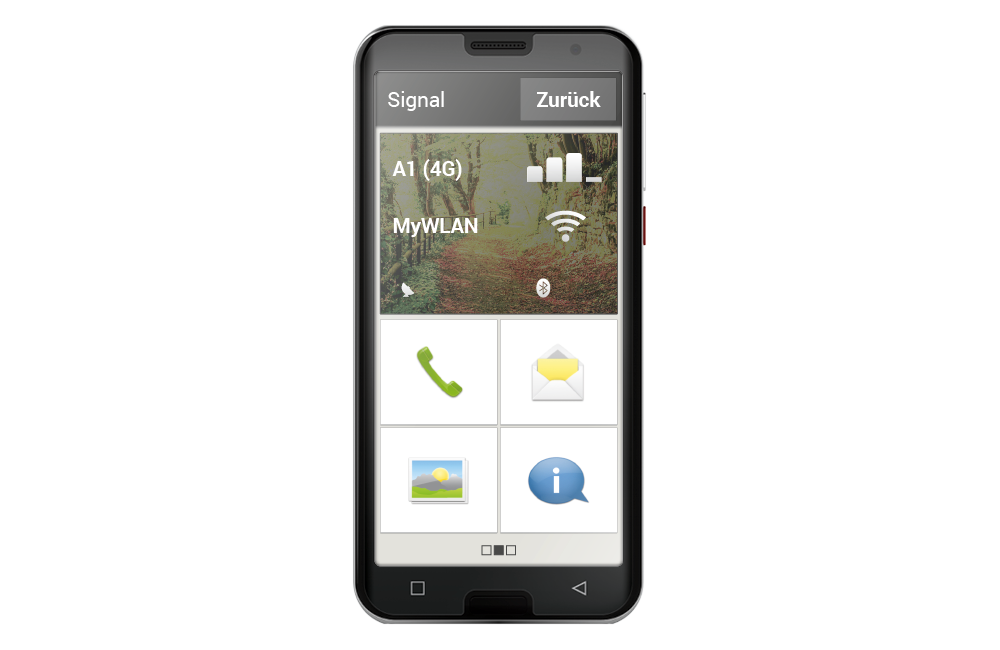
Tap the signal strength indicator briefly to get detailed information about your smartphone's reception and connections.

How strong is the reception on the network you are currently using?

In this example, the smartphone has 75% reception strength.

Which network operator is the mobile phone connected to and which network technology is currently being used?

This smartphone is connected to the A1 network and uses a 3G 4G connection.

What is the name of the Wi-Fi network to which the mobile phone is connected and how strong is the connection?

There is a connection to the Wi-Fi network ‘MyWiFipickup’, the reception strength is approximately 66%.
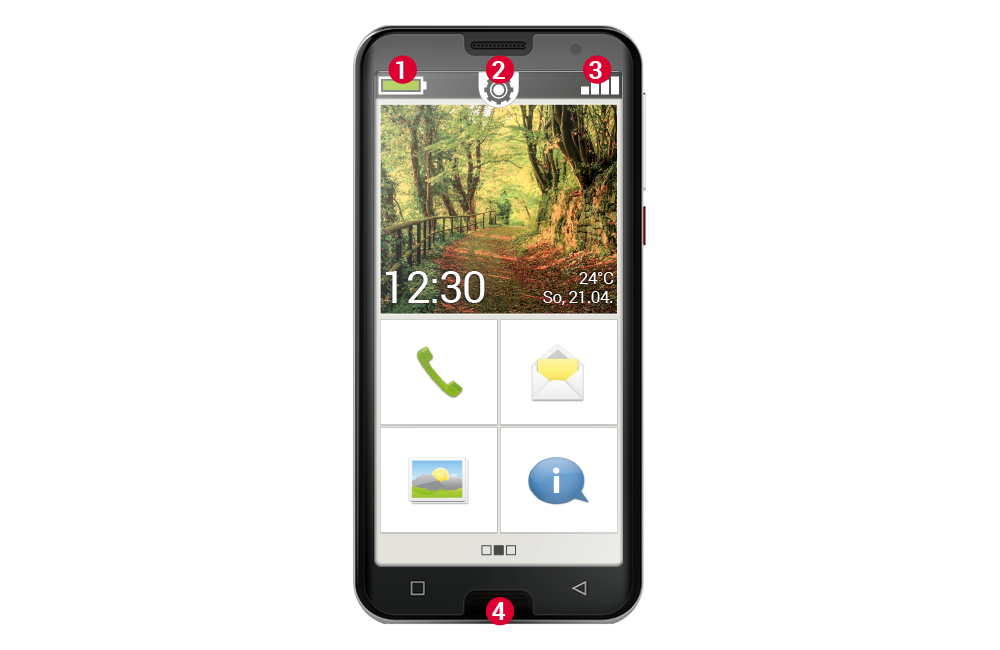
Displays on the home screen

Details of the signal display

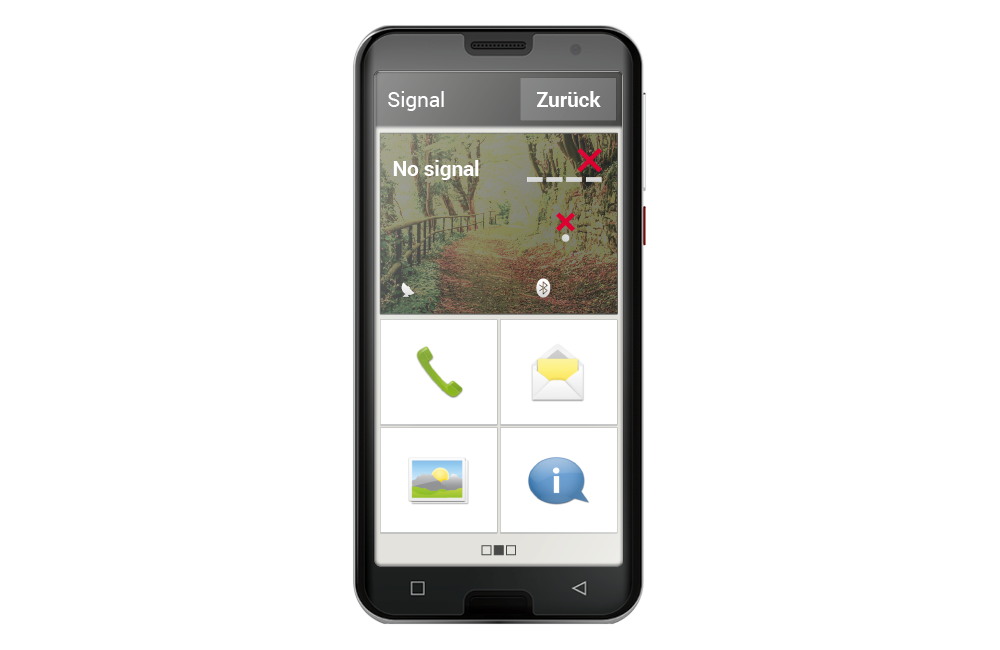
Display when signals are missing

Was tun, wenn man nicht telefonieren kann?

Wenn die Anzeige 0 % Empfang und ein rotes X statt der Empfangsbalken zeigt, haben Sie aktuell keine Verbindung zu einem Mobilfunknetz.

  • Haben Sie eine SIM-Karte im Handy eingelegt?
  • Stimmt die Einsteckrichtung?
  • Ist diese SIM-Karte gültig oder ist sie möglicherweise abgelaufen?
  • Bei Wertkarten: Haben Sie noch ein gültiges Guthaben?
  • Sind Sie momentan in Reichweite eines Mobilfunknetzwerks?
  • Haben Sie den »Flugmodus« aktiviert?

Tipp: Manchmal kann es helfen, das Smartphone vollständig auszuschalten und neu zu starten. Durch den Neustart wird auch die Verbindung zur aktuellen Funkzelle des Netzanbieters neu hergestellt, oft ist damit das Problem gelöst.


Was tun, wenn man nicht ins Internet kann?

Prüfen Sie die Empfangsanzeige. Wenn eine 2G-Verbindung angezeigt wird, haben Sie keinen Zugang zum Internet. Das Gerät muss mindestens mit einem 3G Netz oder höher verbunden sein, damit Daten übertragen werden können.

Haben Sie die mobile Datenverbindung am Smartphone aktiviert?
Schalten Sie in den Schnelleinstellungen "Mobile Daten" ein.

Haben Sie eine SIM-Karte eines Netzbetreibers, der kein eigenes Mobilfunknetz besitzt?
Aktivieren Sie Daten-Roaming in den Netzwerkeinstellungen, damit das Smartphone Inlandsroaming zulässt und das Partner-Mobilfunknetz Ihres Tarifanbieters nutzt.

Sind Sie mit einem WLAN-Netzwerk verbunden?
Wenn in der Empfangsanzeige kein WLAN-Name angezeigt wird und ein rotes X angezeigt wird, besteht noch keine Verbindung zu einem WLAN.
Schalten Sie in den Schnelleinstellungen WLAN ein, wählen Sie ein Netzwerk aus, das vom Smartphone erkannt wird und geben Sie das dazugehörige Passwort ein.