Share the internet through a mobile hotspot
You can turn your phone into a mobile router in just a few seconds. This can be useful if you want to connect your laptop to the internet while on the go.
What to do:
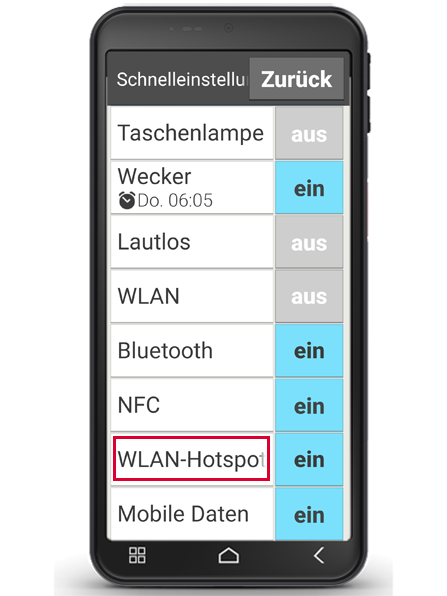
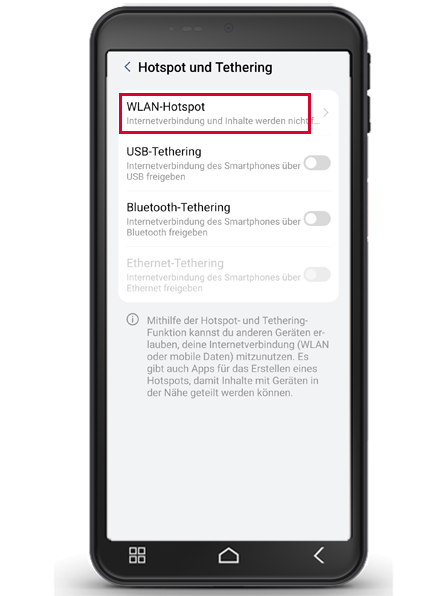
Step 1 Open Wi-Fi hotspot in Quick Settings or Settings - Network & Internet - Hotspot and tethering
Step 2 Tap Wi-Fi hotspot
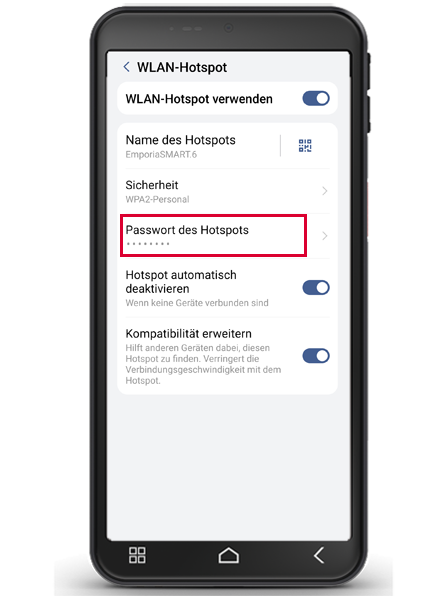
Step 3 Enable Use Wi-Fi hotspot
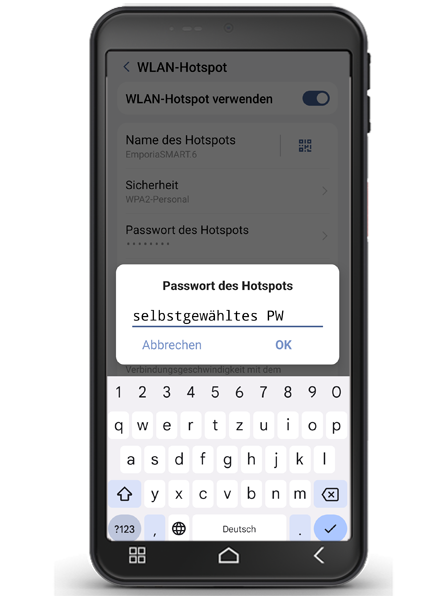
Step 4 Set the name of your device and a password
Step 5 The hotspot user now looks for the device name in his WiFi overview and enters the specified password.
You're now sharing your internet connection with a second device. The mobile data used by your hotspot user will be billed to your plan.