Basics: How can one imagine a connection to the internet?
Telephoning has changed significantly in recent decades. In the past, the telephone was always tied to one place; when you were out and about, the only option was to use a telephone box.
How telephony worked in the past
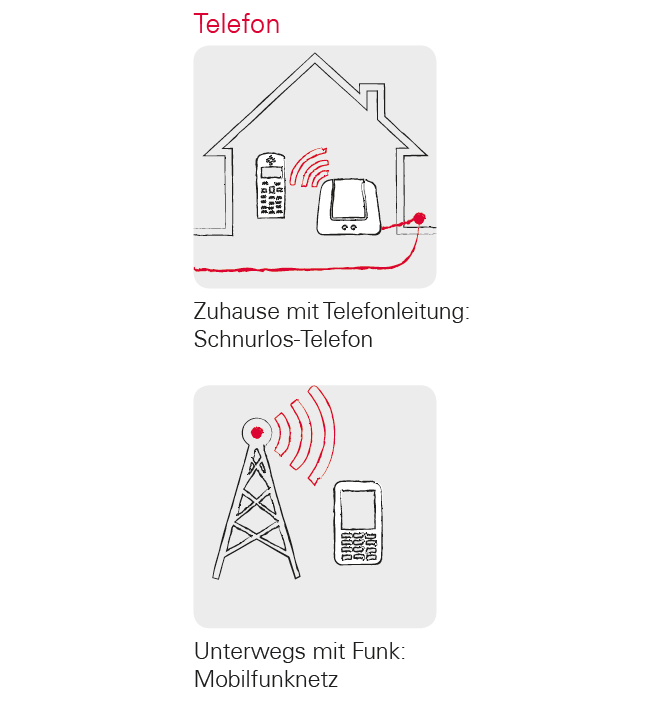
In the past, a cable had to be laid to the house for a telephone line. This cable ended in a telephone box on the wall of the house. Inside the house, the landline telephone was then plugged into the telephone socket and thus connected to the telephone line. Moving around with the telephone was only possible if the cable was long enough.
It was not until later that cordless phones found their way into our households. Finally, it was possible to move around freely with the phone in the house, but the base station of the cordless phone was still connected by cable.
In the 1990s, mobile phones became popular, which now really work wirelessly. Communication works via radio waves, and the transmission masts of the radio networks became increasingly visible.
Principle of the Internet TODAY
The transmission of data from the Internet can be imagined in exactly the same way.
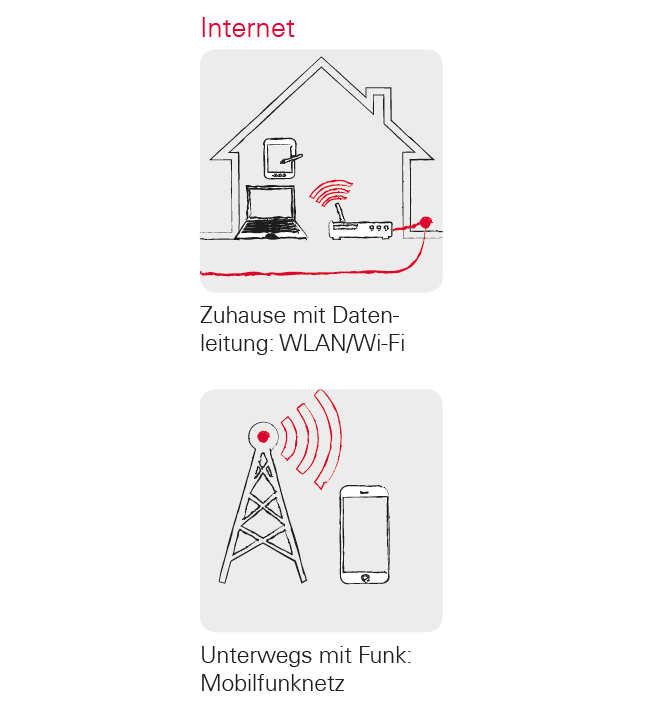
A data line is laid to the house and the PC is connected to it with a cable connection.
However, you can also connect a so-called WLAN or Wi-Fi router to the data line. This router establishes a local wireless network that allows multiple digital devices to connect to the data line. The advantage: laptops, tablets and smartphones can surf the internet at the same time.
However, if you are on the move and leave the range of the Wi-Fi network, you can only connect to internet using a mobile data connection. Just like with mobile phones, the data is also transmitted via the mobile radio network.