Basics: How can I tell if the smartphone is ready for use?

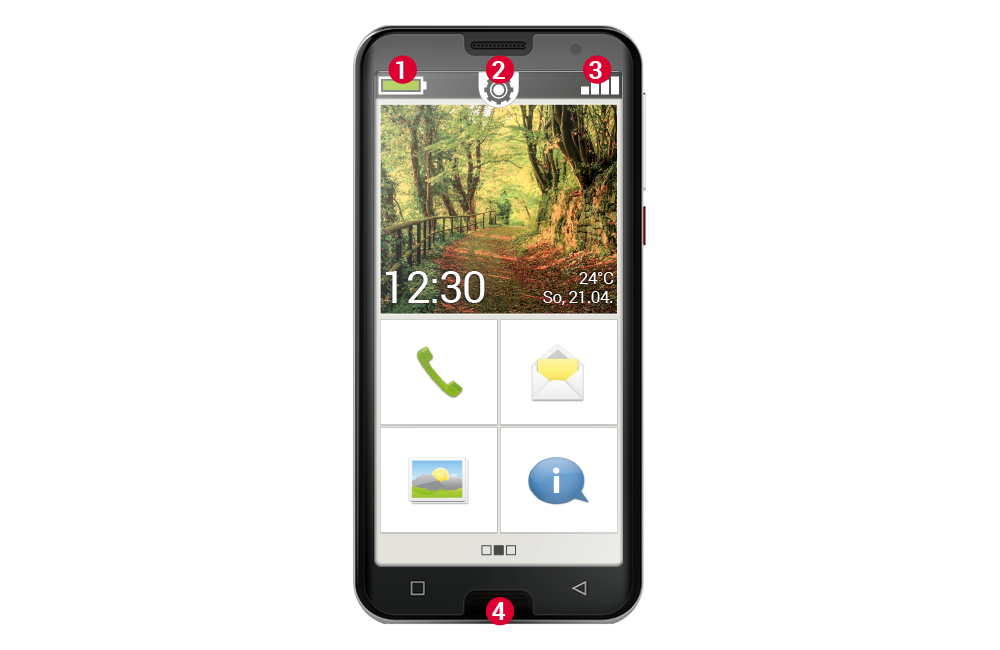
The icons on the home screen will help you. The home screen is the starting point for your smartphone and always appears when you switch on your mobile phone and when no smartphone function is being used. Use the home button(4) to call up the home screen and return to the starting point at any time.

You will see three icons at the top of the display:

(1) Battery indicator
(2) Quick settings
(3) Signal strength

Signal strength

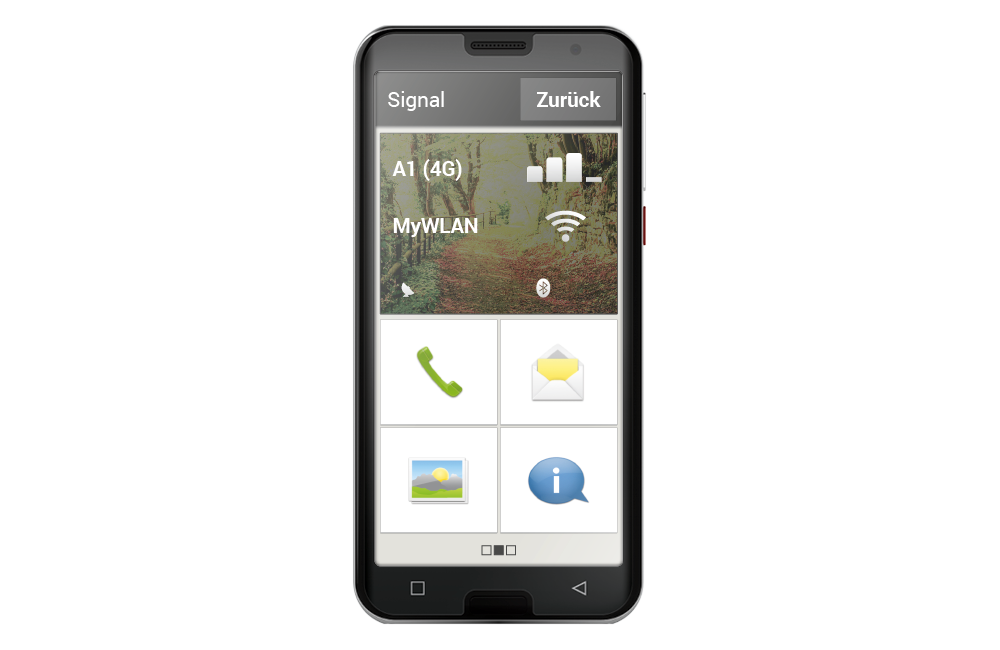
Tap the signal strength indicator briefly to get detailed information about your smartphone's reception and connections.

How strong is the reception on the network you are currently using?

In this example, the smartphone has 75% reception strength.

Which network operator is the mobile phone connected to and which network technology is currently being used?

This smartphone is connected to the A1 network and uses a 4G connection.

What is the name of the Wi-Fi network to which the mobile phone is connected and how strong is the connection?

There is a connection to the Wi-Fi network ‘MyWiFi’, the reception strength is approximately 66%.
Displays on the home screen

Details of the signal display

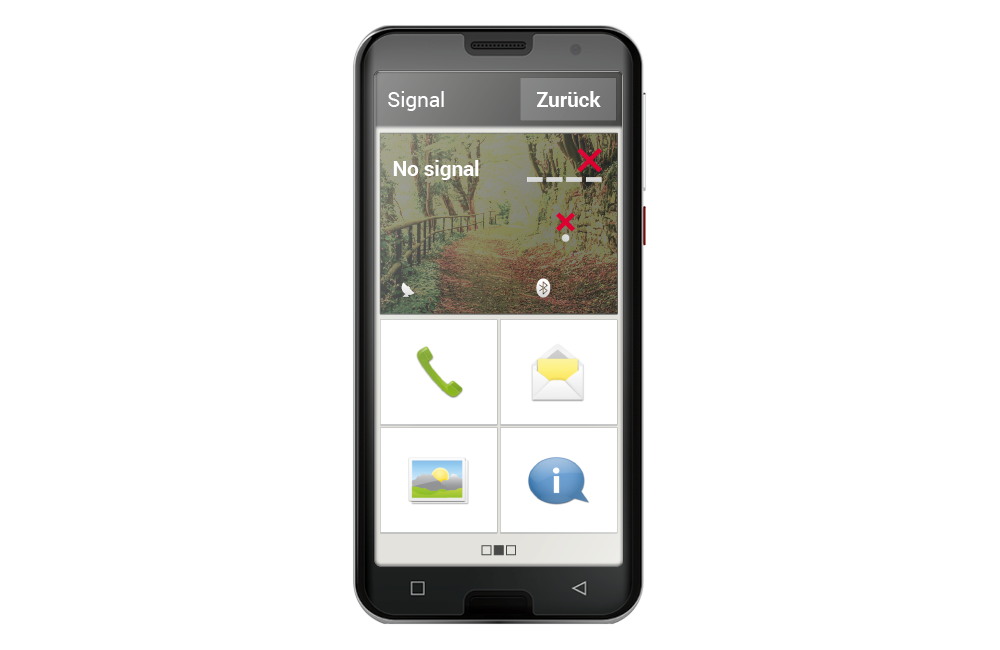
Display when signals are missing

What to do if you cannot make a call?

If the display shows 0% reception and a red X instead of reception bars, you currently have no connection to a mobile network.

  • Have you inserted a SIM card into your mobile phone?
  • Is it inserted the right way round?
  • Is this SIM card valid or has it possibly expired?
  • For prepaid cards: Do you still have a valid credit balance?
  • Are you currently within range of a mobile network?
  • Have you activated ‘airplane mode’?

Tip: Sometimes it can help to switch off your smartphone completely and restart it. Restarting also re-establishes the connection to the network provider's current radio cell, which often solves the problem.

What to do if you cannot access the internet?

Check the reception indicator. If a 2G connection is displayed, you do not have access to the internet. The device must be connected to at least a 3G network or higher in order to transfer data.

Have you activated the mobile data connection on your smartphone?

Turn on ‘Mobile Data’ in the Quick Settings.

Do you have a SIM card from a network operator that does not have its own mobile network?

Activate data roaming in the network settings so that your smartphone allows domestic roaming and uses your tariff provider's partner mobile network.

Are you connected to a Wi-Fi network?

If no Wi-Fi name is displayed in the reception display and a red X is displayed, there is no connection to a Wi-Fi network.

Turn on Wi-Fi in the Quick Settings, select a network that is recognised by the smartphone and enter the corresponding password.