emporia weather

One of the most popular features of smartphones is their ability to provide information on the current weather and the weather forecast. The emporia Weather app is simple with a clear layout and also shows the current temperature on the home screen.

What you need:

  • An Internet connection (via Wi-Fi or mobile data)

What to do:

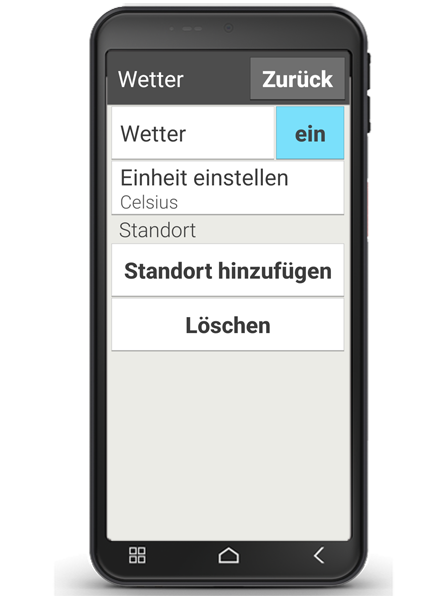
  • Open the Weather app.
  • Turn the weather function on.
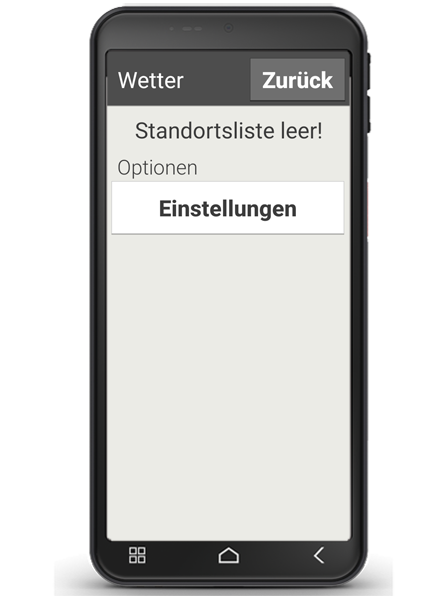
  • Select Add location.

> Set location automatically

  • If you open the app for the first time, you can allow the app to set your location automatically.
  • Select 'yes' or 'no' when prompted.

> Set location manually

  • Enter the location (your desired place) in the "Search" bar.
  • A list of places will be displayed. Select the place you want from these.
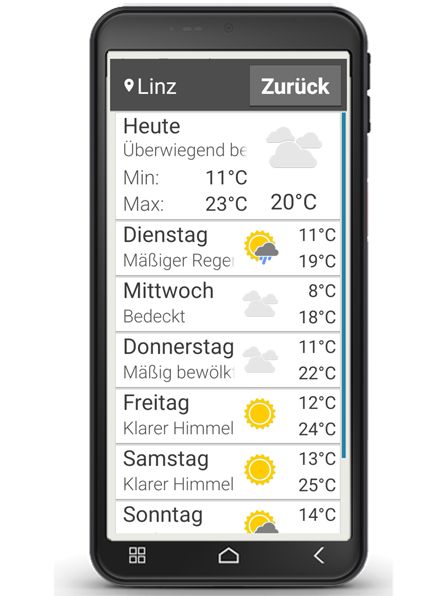
  • Select "Back" to view the weather forecast for the next few days for this location. The current temperature in this place will be shown above the date on the home screen.
  • If you want to know the weather in another place, set a new location.
  • Now select the place you want the weather for and confirm your choice by tapping on the tick.

Tip: Please note that some cities may only be found by entering their international name.

Wetter-Einstellungen

Wetter Standort

Wetter Anzeige

> Standort automatisch festlegen

  • Wenn Sie die App zum ersten Mal öffnen, können Sie der App erlauben, Ihren Standort automatisch festzulegen.
  • Wählen Sie "Ja" oder "Nein", wenn Sie dazu aufgefordert werden.

> Standort manuell festlegen

  • Tippen Sie im Feld "Suchen" den Standort (= gewünschten Ort) ein.
  • Eine Liste mit Orten wird angezeigt, wählen Sie den gewünschten aus.
  • Wählen Sie "Zurück", um die Wetterübersicht dieses Ortes für die nächsten Tage einzusehen. Die aktuelle Temperatur dieses Ortes wird auf der Startseite oberhalb des Datums angezeigt.
  • Wenn Sie das Wetter eines anderen Ortes wissen wollen, legen Sie einen neuen Standort an.
  • Wählen Sie nun aus, von welchem Ort Sie das Wetter angezeigt haben wollen und aktivieren Sie diesen mit dem Häkchen.

Tipp: Achten Sie darauf, dass manche Großstädte nur mit dem internationalen Namen gefunden werden.