Google Photos
Store your entire photo library in one central location.
Google Photos is free and allows users to upload an unlimited number of photos and videos to the cloud database. There is one small restriction, however. Photos may be uploaded with a maximum resolution of 16 megapixels; if they are larger, the service will scale them down to this value.
Change the photo view
The default view is by month. With a simple trick, you can switch to the daily view. It's just as easy to find photos from a specific year and month.
Month view
By default, photos in the photo stream are displayed in month view.
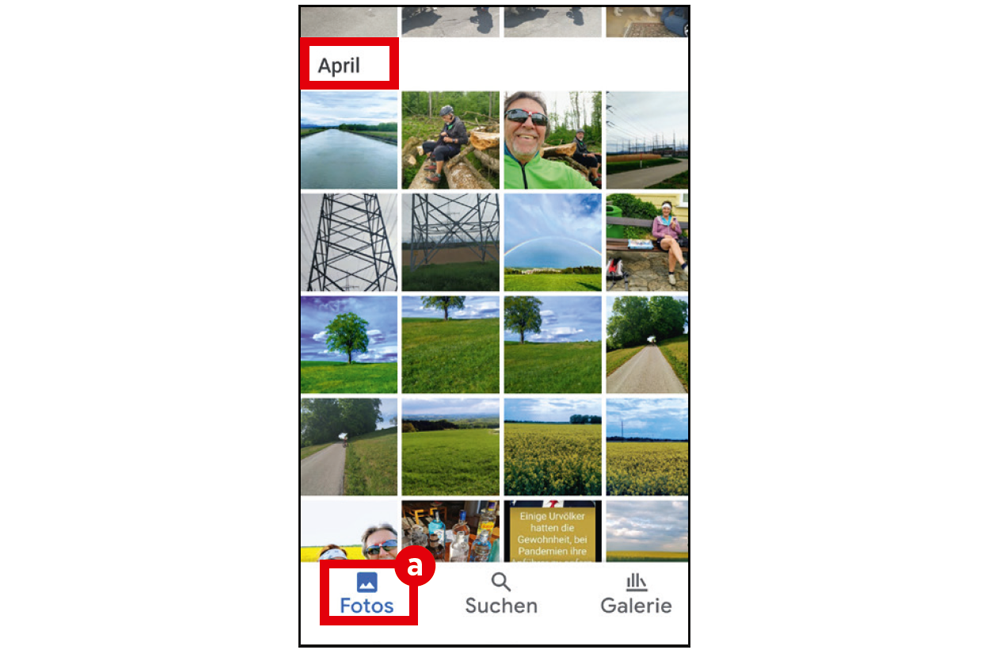
Tap ‘Photos’ (a) at the bottom left. At the top of the main screen, you will find the ‘memory carousel’ with photos from 1 year ago, 2 years ago, etc., as well as the current highlights.
Below that, you will find the photos you have saved, sorted by month.
Scroll
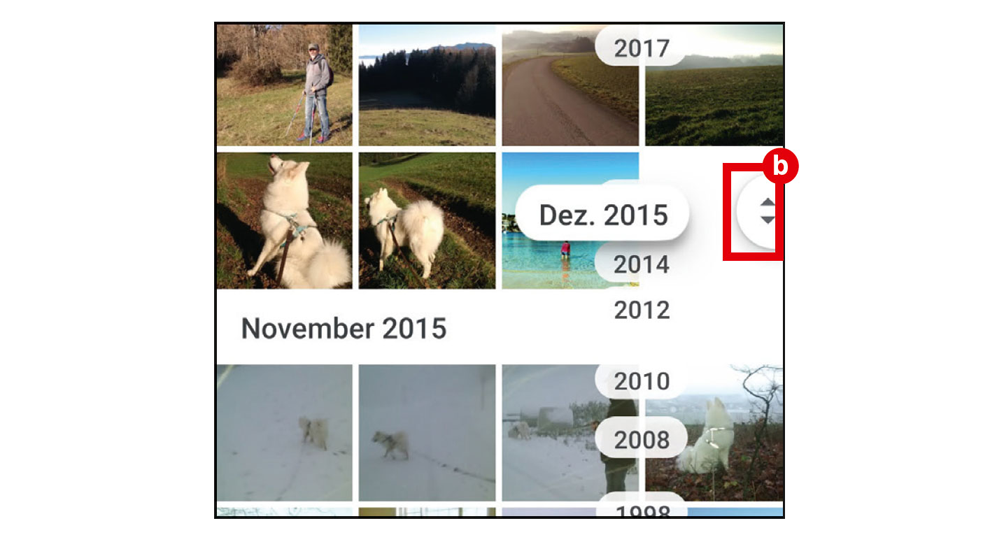
Scroll down to view older photos. A scroll aid (b) will appear, which you can use to search for photos by month by dragging down or up.
Switch to day view
To switch to day view, simply pinch the current view with two fingers.
Zoom in further
If you zoom in further in this view by pulling two fingers apart, you will be taken to a view in which landscape photos are displayed across the entire width of the display. In this view, you can also display the scroll aid and find the photo for a specific date by dragging.