emporia QR scan
You can use this application to read QR codes.
To do so, open the QR Scan app or select the QR Scan option in the camera app.
How do I use the QR Scan?
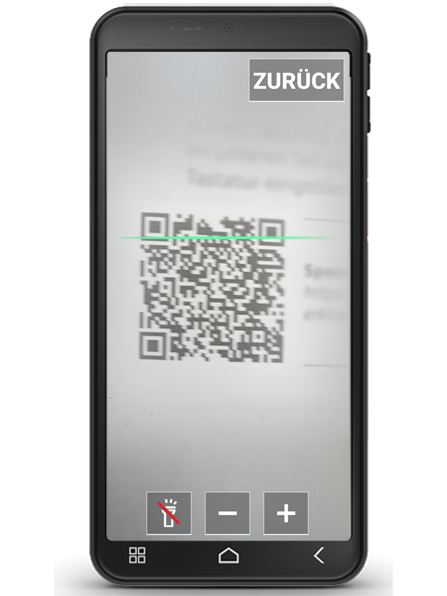
- Open the QR Scan app. The display will show the camera image with a moving horizontal line.
- Now hold your smartphone at a slight distance above the QR code you want to scan. Align the camera lens so that the square QR code is displayed within the bright square.
- The camera continuously scans the viewfinder image – you can see this by the line moving horizontally up and down – until the QR code is read. If the image does not focus automatically, tap the display.
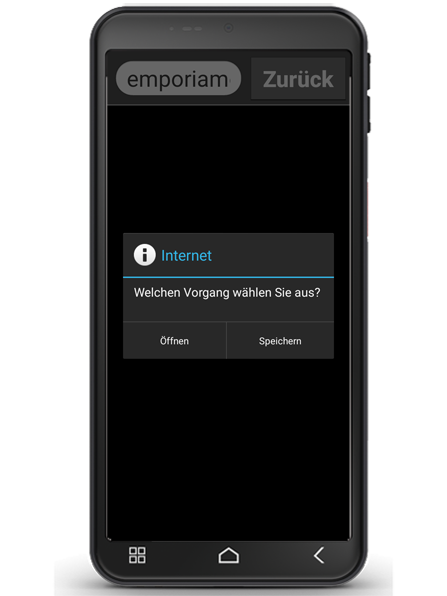
- The scan result is then displayed automatically, e.g. the web address that was hidden in the QR code symbol.
- Now select one of the offered options: open the displayed internet address in a browser or copy the link and send it using another app.
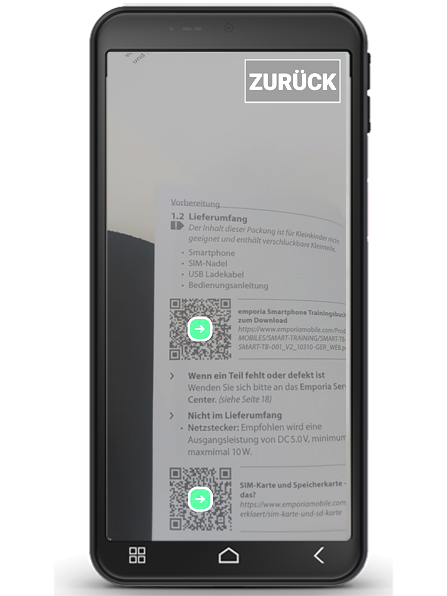
Tip: If several QR codes are recognised on the display, tap on the arrow of the desired code.