emporia Smartcover
With the included smartcover, emporia offers you a unique set of accessories that makes using your smartphone even easier.
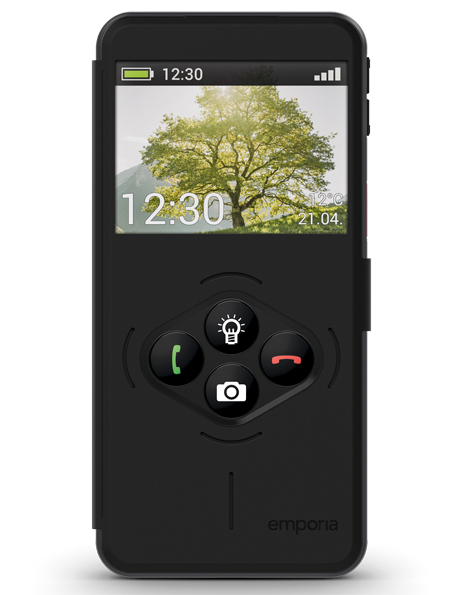
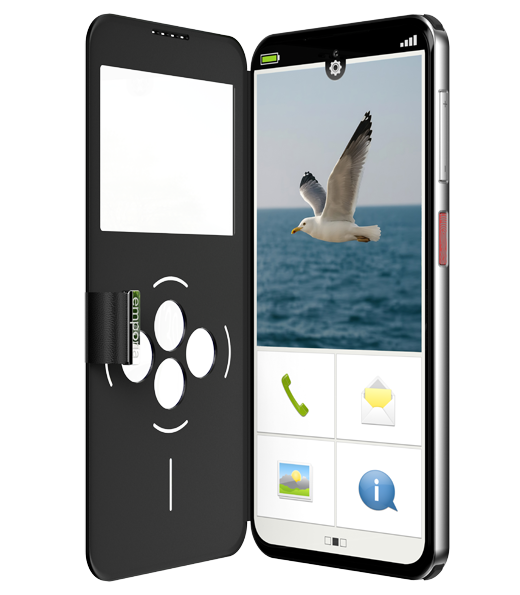
There are four buttons on the front of the smartcover that allow you to perform selected functions without having to open the cover. Answering a call or calling someone is now even easier – just press a button.
Swiping and tapping on the display are deactivated, which has a particular advantage: the buttons cannot be pressed accidentally (no more ‘pocket calls’), they only respond to finger pressure.
How do I attach the Smartcover to Smart.8 series smartphones and the Smart.5?
- Remove the battery cover.
- Press the rear part of the smartcover onto the device as a battery cover. Make sure that all the anchors are locked in place.
- Close the smartcover. The tab on the front of the cover is equipped with a magnet and ensures that the cover remains closed.
- The display automatically adjusts to the window in the cover and the buttons are illuminated.
Tip: If the smartphone is in energy-saving mode, activate the display and the screen with the On/Off button.
How do you attach the smartcover to smartphones in the Smart.6 and Smart.7 series?
- Place the smartphone in the smartcover.
- Integrated magnets attach the cover to the back of the smartphone.
- Close the front of the cover with the magnetic flap. The display will now automatically adjust to the smartcover.
Note: The emporia smartcover for the Smart.6 and Smart.7 series is equipped with strong magnets. Make sure that credit cards or similar items are not stored in direct contact with the smartcover.
Which functions can I assign to the function buttons?
By default, the four buttons are assigned to the torch button, the camera button and the green and red keys for making calls.